Mini Games
Hiya
Let’s make a game! You may be thinking that’s exactly the whole point of making an indie game, ya know, to make a game. But let’s make a game within the game. More specifically, let’s make a system where we can make a few mini games within the game. The idea is to make an old handheld console within Five Arcade where I can implement mini game ideas with Fi.
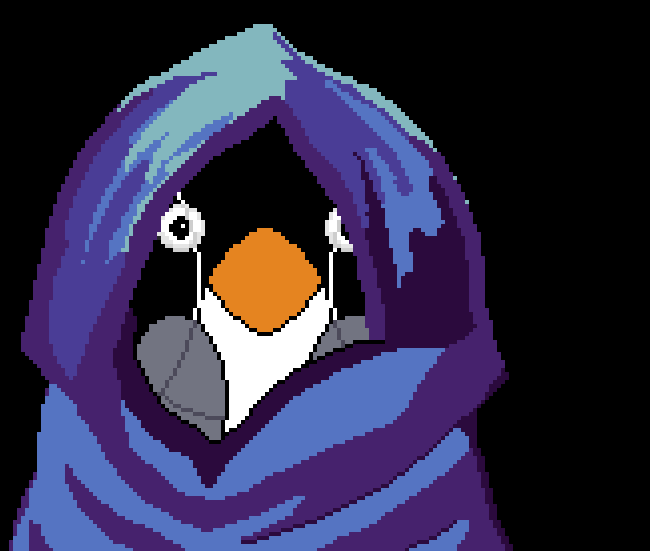
The first mini game will be simple, 8 bats circle Fi and attack after a certain amount of time. Fi can deflect the bats with an umbrella. (This has story elements to it but for now we’ll focus on implementation).
Art Assets
In Five Arcade, the handheld console is called Pix Advanced Mini. It’s roughly based on an old console from a period of time before the turn of the millennium. (BOY I’m getting good at making GAME related references that very subtly hint at a potentially existing item. Gameboy. Dammit). Here’s the sprite sheet we’re working with.
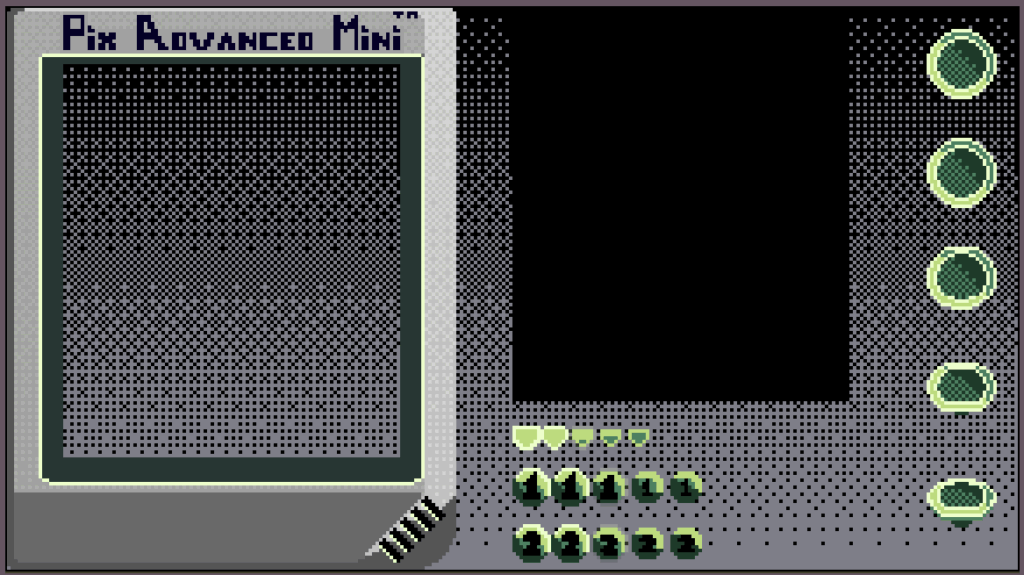
So we have a frame, a screen, two action buttons, a directional button (I’ll use the same sprite for all four directions and change the rotation) and an analogue stick. These are all the buttons I want for these mini games, they are supposed to be simple. So what do we need to do?
- Set up Animation and Animator (I use a hybrid system, half Unity’s and half my own code. You’ll see soon)
- Set up control scheme (Dev Diary 2 discussed this in full, we’ll be using the same system here)
- Link the control system to the animations
- Link the control system to Fi’s umbrella
- Get some bats circling and attacking.
Flocking Bats
Let’s keep this simple. I want some bats circling Fi at a set radius. After they orbit a certain amount of times they will attack. LeanTween is a tweening library which is lightweight and very useful. I normally use it for UI elements but you won’t mind me using it here, will you?
  void Start()
  {
      CircleAndAttack();
  }
  private void CircleAndAttack()
  {
      currentLoop++;
      LeanTween.value(gameObject, 0f, 360f, duration)
      .setOnUpdate((float angle) =>
          {
              float rad = (angle + angleOffset) * Mathf.Deg2Rad;
              Vector3 offset = new Vector3(Mathf.Cos(rad), Mathf.Sin(rad), 0) * radius;
              transform.localPosition = offset;
          })
      .setOnComplete(((attack && currentLoop >= numberOfLoops) ? Attack : CircleAndAttack));
  }
  private void Attack()
  {
      animator.Attack();
      FaceDirection(GetDirection());
      Charge();
  }
  private Vector2 GetDirection() => -transform.localPosition;
  private void FaceDirection(Vector2 direction)
  {
      var rotateTime = 0.75f;
      var angle = Mathf.Atan2(direction.y, direction.x) * Mathf.Rad2Deg - 90f;
      LeanTween.rotate(gameObject, new Vector3(0, 0, angle), rotateTime)
          .setEase(LeanTweenType.easeInExpo);
  }
  private void Charge()
  {
      var chargeTime = duration * 0.5f;
      LeanTween.moveLocal(gameObject, Vector2.zero, chargeTime).setEase(Curve)
          .setOnComplete(() => Kill());
}What’s happening here is that when the bat starts, CircleAndAttack is called. In here is a LeanTween function which interpolates a value from 0 to 360, I use this value to get a position along the circumference of a circle. When a full circuit is complete setOnComplete is called which checks if the amount of circuits should trigger an attack. If attack is called, the bat will rotate towards the center and charge.
Side Note
I’m not sure how much detail to go into when explaining the logic. I worry I’ll bang on too much and bore you, but then again, I assume you have some interest in this stuff or you wouldn’t be reading. Then again again, I have anxiety issues and over analyze most things so is this even worth mentioning? I’m on BlueSky, so if you’d like to make recommendations, or tell me how cool I am, reach out.
The Definitely Not GameKid Console by Definitely Not That Plumbing Company (Nintendo. Dammit again!)
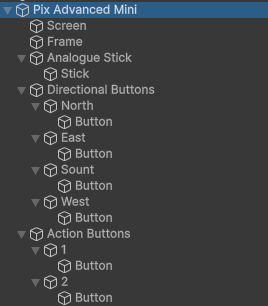
Here are the GameObjects. It’s all just an arrangement of images taken from the sprite sheet above and positioned and rotated accordingly.
I hate Unity’s animation system. Specifically, the animation states and transitions are a tangled and ungainly mess I can’t seem to get my head around. I don’t have a lot of experience with non sprite based animation but I’ve read it’s particularly bad at flip book style animations but can be good for skeletal rigging and such. Setting up the sprites is ok, but anything else I’ll just write scripts for. I’ll go through the process for the Action Buttons on the GameBoy, I mean Pixel Advanced Mini. Here we Nintendo, I mean go.
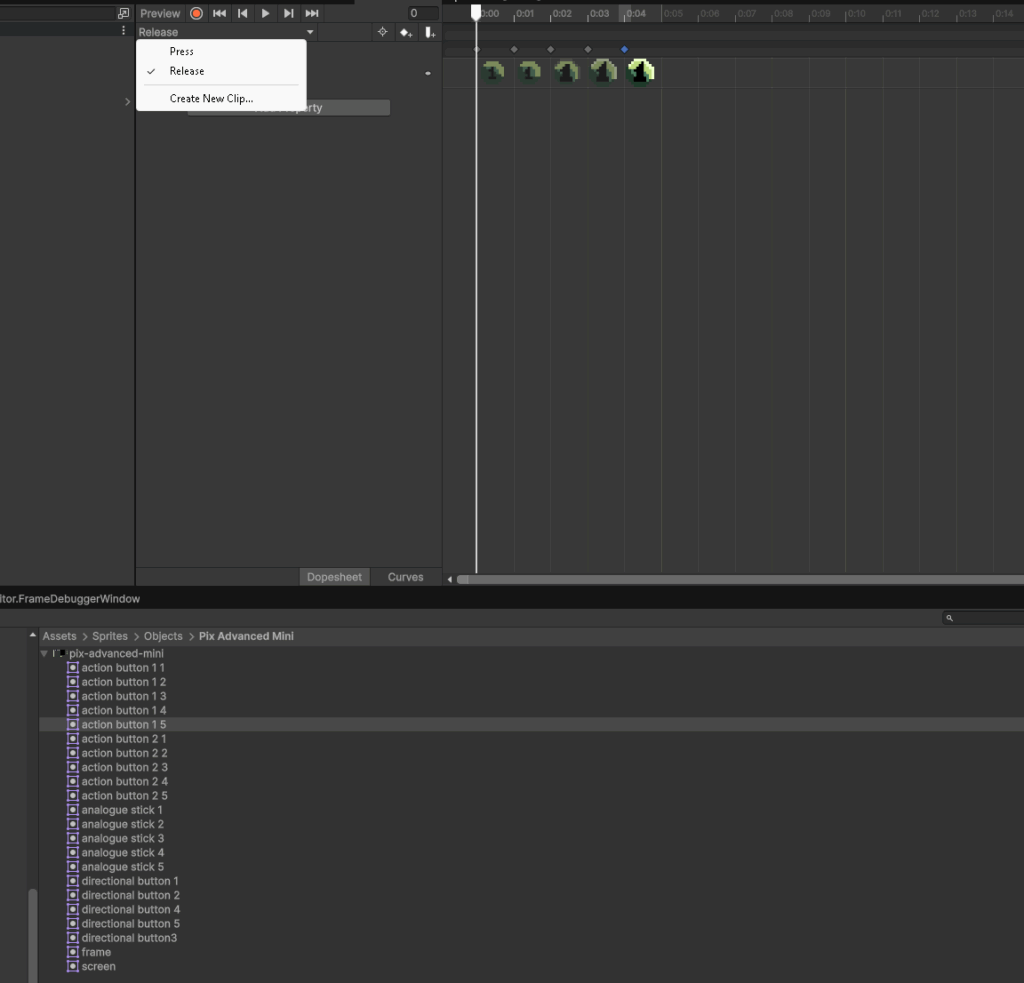
So this is what I’m dealing with. You highlight the gameObject (action button) and add an animator. Then add animations, in this case a Press, Pressed, Release and Released. I can use these in code later to help write my own transitions. There’s a extra step I need to take here. I need to add an event which gets triggered when an animation is complete. This will help when Press is complete, I can switch to Pressed. (This may seem inefficient at first but it will help for triggering any events which need to happen when the button is fully pressed, like a sound effect). For reasons I do not understand, the UI element you need to add an event at an animation frame is this tiny little rectangle thing on the far right.

It’s a really useful feature, why is it so small, and obscure? I need a cuppa to calm down. Excuse me.
Sorry that took so long. Where was I? Oh yes, animation. Look at the lovely organised states.
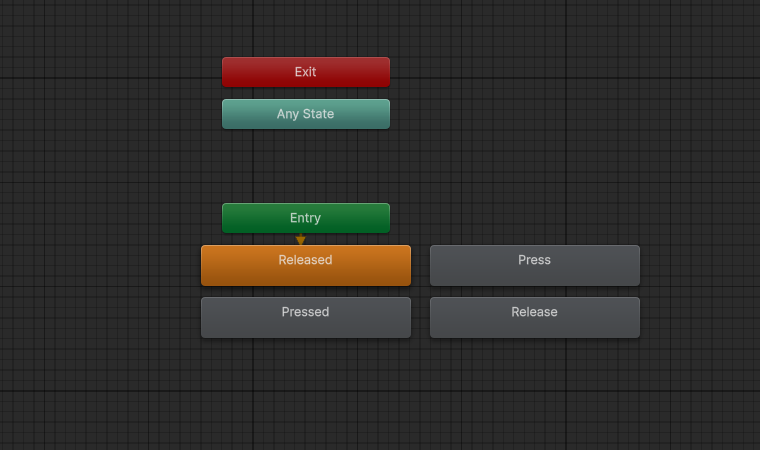
Aren’t they just perfect, sitting there, all rectangular. Ignore the Exit and Any State ones, I don’t know what they want.
The cool thing about this is that switching to these states can be nicely handled in code. The Animation Event which I’ve put at the end of each animation frame triggers a method I’ve written called AnimationComplete, in here I can handle transitions exactly as I need them. In the example above, I will set the state from Press to Pressed when the Press animation complete event fires.
        public void AnimationComplete()
        {
            if (currentAnimation == Pressing)
                SetAnimation(Pressed);
            else if(currentAnimation == Releasing)
                SetAnimation(Released);
}This is the animation system I will be using for every interactive element on the Pix Advanced Mini. Hopefully it will be fun to control.
Conclusion
I’ve called the deflecting bat with umbrella mini game Bat Deflector Version 1 which I feel perfectly sums up deflecting bats for a bit. I’m a little cautious about these mini-games but I feel they will add to the overall experience of the game. The main gameplay loop involves Ve, he’s an agile character who controls like a walking spaceship. Fi is slow and uses a walking stick to get around. He’s very important to the story and I’d like players to enjoy the Fi sections, so I’m making these sections as varied as possible. They are each very simple, the section that follows this is a simple Claw Machine mini game. I’ve made them deliberately short as I would like to get the the Ve sections quickly. I hope I have the balance right, but I’m not known for my balancing ability.
What’s Happening Now?
Five Arcade was played by people other than myself recently! This was a huge step, one which filled me with anxiety and joy. The feedback was very helpful, some problems were brought to my attention which I would never have seen because I’m so used to playing the game. So I’ve been working through a list of issues over the past month, cleaning code, tweaking controls, etc. I think the game has had a major upgrade and I’m feeling very positive about it. If any of the people who playtested this thing are reading, thank you so much, you have made this game so much better and my many ones of ones of fans will be very pleased.
I’m also working on something really big for the audio of the game. If it works, it will be hugely exciting. It’s a mixture of music theory, art and code. It will give the game a much needed pulse. Hopefully this will be the topic of the next Dev Diary, which will be up at the end of the month. (I’m not good at deadlines, medical stuff makes it hard to predict, but I do try).
Bye for now.